
Your family tree — on your terms
KORA helps you build your family history right on your phone. Start without an account and keep everything on your device — then search the world’s genealogy archives from any person’s card and add relatives by voice, with AI turning what you say into people and links.
Local mode free · Cloud with Pro · No ads
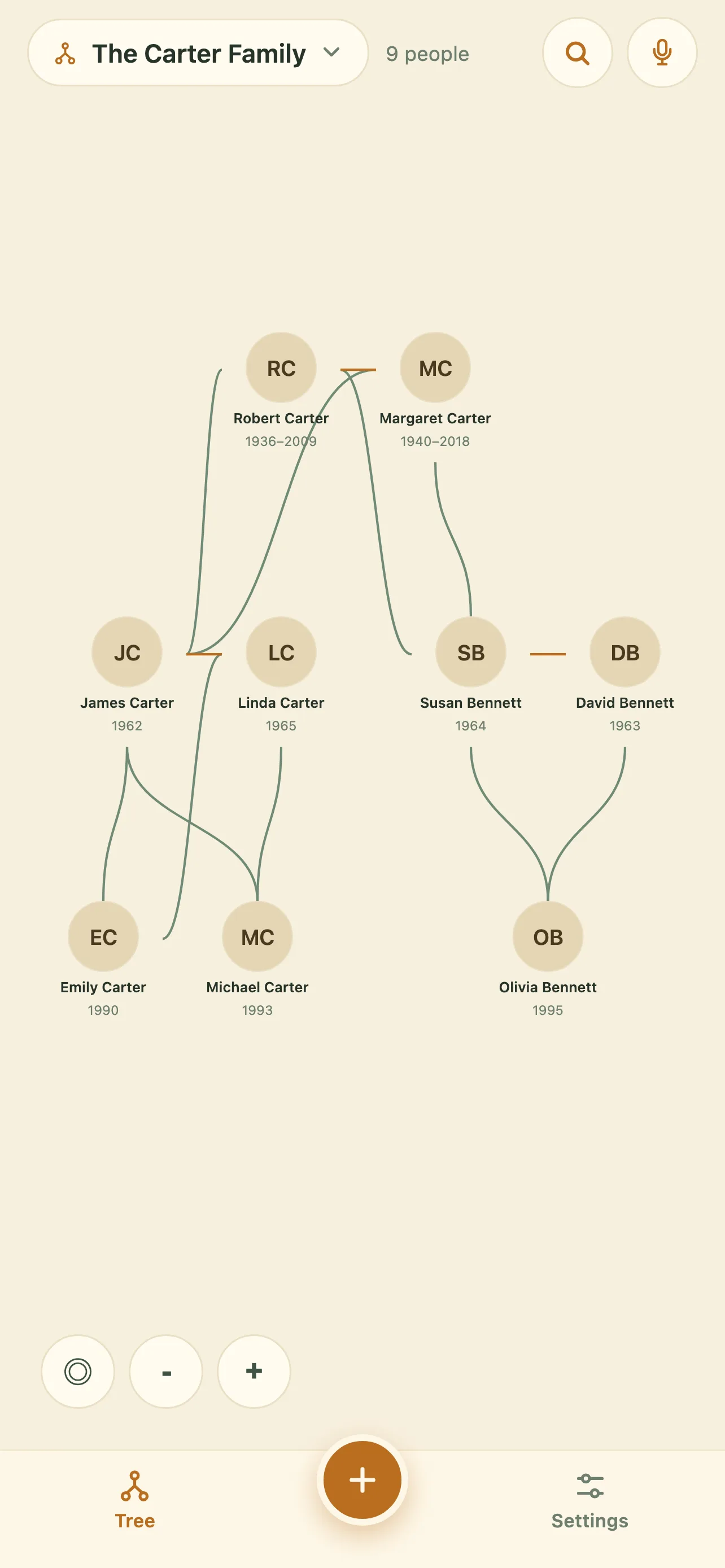
Two modes — you choose
A family tree is the names, photos and memories of your family, so you decide where they live. Keep everything on your device, or turn on the cloud when you want the tree on every device and in the hands of your relatives.
Local mode — free
No account, works offline, every tree stays on your device.
Cloud mode — Pro
Sign in and your trees sync across devices and can be shared with family.
No ads
No advertising, no selling your data.
Everything for your family's story
Multiple trees
Keep separate trees for different branches of the family.
People and relationships
Add parents and spouses, build links across generations.
Photos and gallery
A portrait and a whole gallery of photos for each person.
Notes
Stories, facts and memories with formatting (Markdown).
A living tree
Drag cards around and zoom the tree with a single gesture.
Merge and split
Join two trees or split a family off into a new one.
Import and export
Back up and move your data between devices.
Dark theme
Light and dark looks for any occasion.
Your language
Russian, English and other interface languages.
Archive search
Look for a person across 20+ genealogy databases without leaving their card.
Voice input and AI
Dictate your family history — AI turns it into people, dates and links to review.
Search the world’s archives — and let AI read the results
Open anyone in your tree and search genealogy databases straight from their card: FamilySearch, MyHeritage, Ancestry, Geni, WikiTree, Find a Grave, BillionGraves, Wikidata, Europeana, the Arolsen Archives, Geneanet, Digitalarkivet, Yandex Archive, Pamyat Naroda — more than 20 sources in all.
- One card, every archive. The name, years and places already on the card go into each search, so nothing gets retyped.
- Automatic search queries the databases for you, reads what comes back and proposes the relatives it found — you pick which ones join the tree.
- Voice input: say “my grandfather Ivan, born 1920, and his daughter Anna” and AI turns it into people, dates and links for you to check before anything is added.
Two people free to search, then Pro. Only the person you asked about is sent to an archive — your tree is never published.

Getting started takes a minute
Add yourself and your relatives
Name, photo, dates — a person's card in a couple of taps.
Link the generations
Parents, spouses — children arrange themselves.
Watch your tree grow
Drag, zoom, keep adding.
Light by day, dark by night
The tree, person cards, gallery and notes — on phone and tablet. Dark mode is easy on the eyes when you leaf through the family album before bed.
iOS · Android · Web (PWA)


What we know about you: nothing extra
The contents of your trees — people, photos, links, notes — belong to you alone. The app uses only anonymized interface analytics (which screens are opened), unrelated to your family's content. No ads. Data is not sold.
Available on your devices
iOS · Android · Web (PWA — installable straight from the browser)
Local mode free · Cloud with Pro · No ads
Frequently asked questions
Do I need an account?
Only for cloud mode. Local mode works without registration — open the app and start.
Where is my data stored?
It depends on the mode. In local mode your trees live on your device only. In cloud mode they are also stored on the KORA server, so they sync across your devices and can be shared with relatives.
How much does it cost?
Local mode is free and ad-free. Cloud mode is a Pro subscription — $4.99 per month or $39.99 per year — and adds sync, shared trees, automatic archive search and voice input.
How do I move a tree to another phone?
Export an archive and import it on the new device.
Which platforms are supported?
iOS, Android and in the browser (web version / PWA).
What if I lose my phone?
In cloud mode your trees are already on the server — sign in on the new phone and they come back. In local mode, regular exports are the backup.
Which archives can KORA search?
Over 20 sources, including FamilySearch, MyHeritage, Ancestry, Geni, WikiTree, Find a Grave, BillionGraves, Wikidata, Europeana, the Arolsen Archives, Geneanet, Digitalarkivet, Yandex Archive and Pamyat Naroda. Two people are free to search; automatic search across all of them at once is part of Pro.
What does the AI do with my data?
Only the job you asked for. Voice input sends the text of what you dictated to the KORA server so names, years and relationships can be detected; archive search sends the name and dates of the one person you are searching for. Your tree is not published, not sold and not used to train models.